


Here is a quick update on my Martech Stack Builder project. Over the last week, I have made some big improvements. Let me break them down for you.
What is the Martech Stack Builder?
Maybe I am getting too far ahead of myself, so here is a TL;DR.
Two months ago, I started building a Martech Stack Builder that helps you visualize and present your company's, or your client's, marketing technology stack. A "Miro for Marketing", I guess. The Martech Stack Builder lets you drag 'nodes' onto your canvas and build relationships between them. Additional consideration specific to marketing technology is that you can add contextual data to your stack and nodes. Add information such as consent rules, PII, costs, ownership, etc., and visualize it with ease.
Now in the new version, I have improved the AI assistant that allows you to do evaluations of your martech stack, using all metadata (as mentioned above) and the individual relationships of the nodes as context. This results in very detailed, stack-specific reports, including implementation, costs, privacy/consent, and data flows.
Additionally, I have added a feature that lets you search for alternative solutions in your martech stack and compare them with those from other vendors.
If you prefer to watch a demo of the new updates, see the video below, otherwise keep reading.
Need to find an Alternative for a tool in your martech stack?
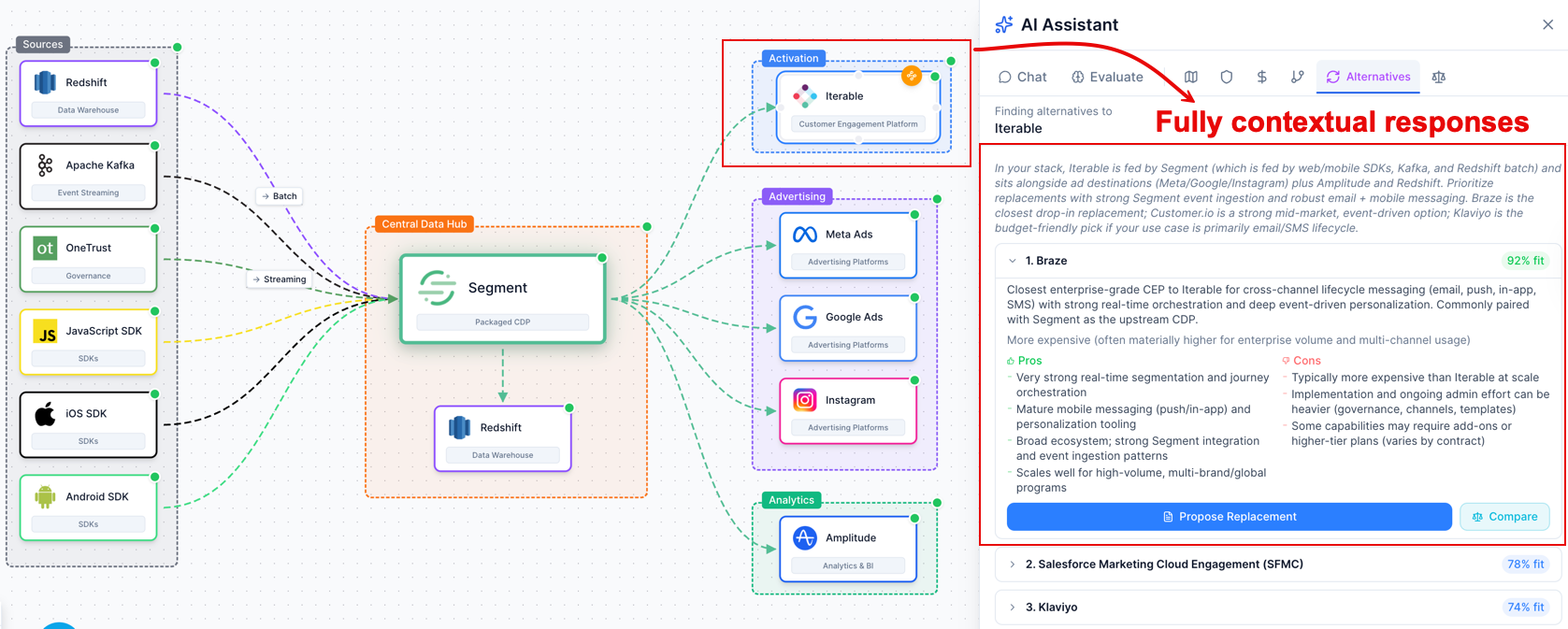
By right-clicking on a node in your martech stack, you can start the process of finding alternatives. The report is generated using AI and leverages your martech stack and all provided metadata points as additional context.
This results in unique reports based around your marketing technology stack.
Found an alternative? Start comparing martech vendors
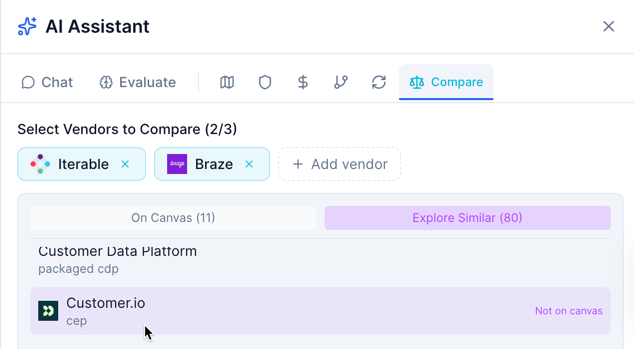
From the Alternatives report, you can now initiate comparison reviews between your current solution, the discovered alternatives, and other solutions in my database (which I'm constantly expanding!).
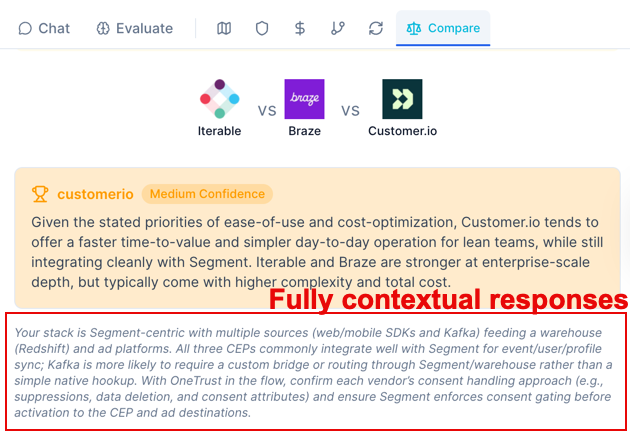
This results in an extensive but manageable report that lists which solution works best for your current martech stack.
Ready to collaborate with other Departments? Break down the Martech silos?
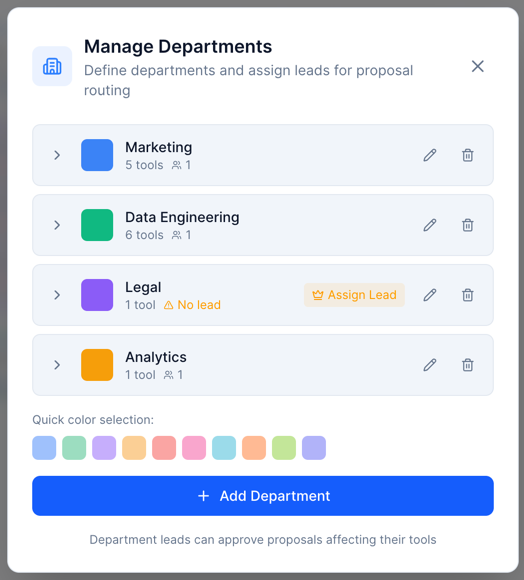
Before any major change starts, you should know who needs to be involved, right? For this reason, I built a Departments feature that lets you create departments (teams) that own or lead specific solutions. These Departments can then be assigned as owners of a specific solution in your Martech stack.
Quickly gain insights on who owns what and what costs are involved for each tool.
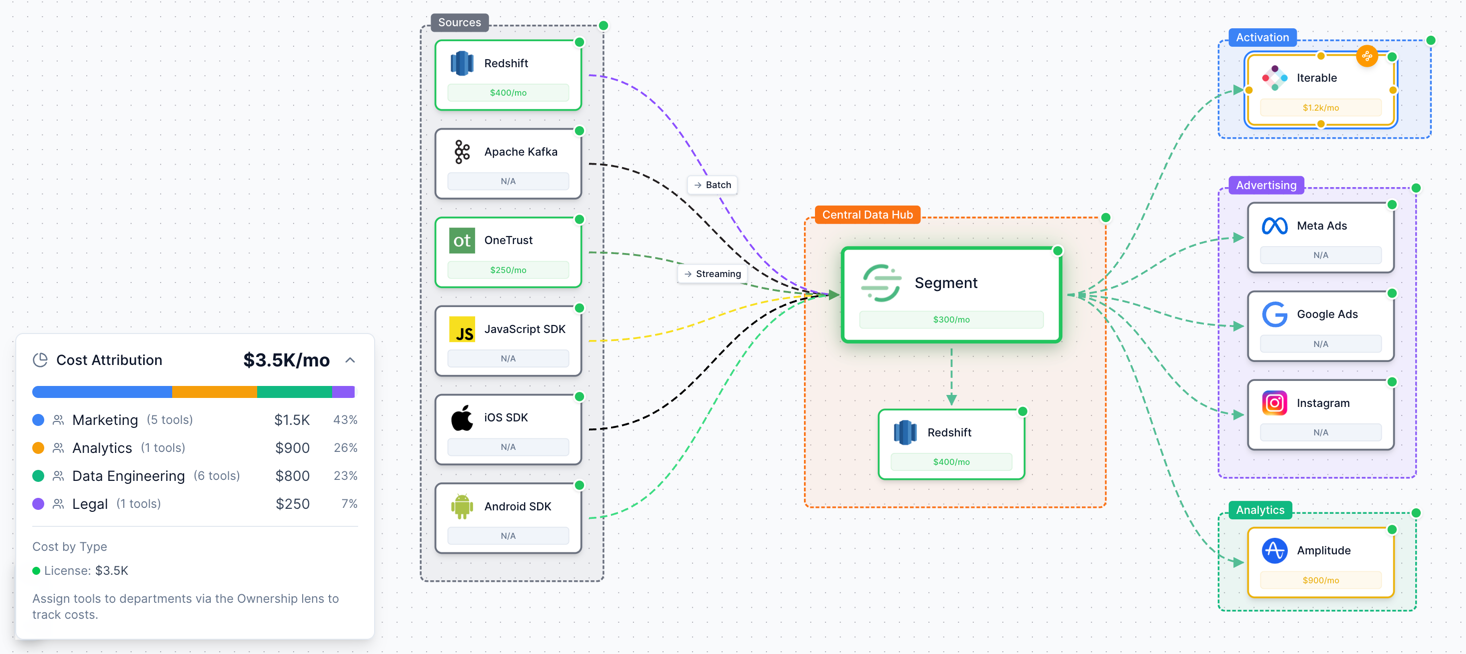
This approach really opens the door to cross-departmental collaboration going forward, such as with Request for Change...
Convinced you need to replace a tool in your Martech stack?
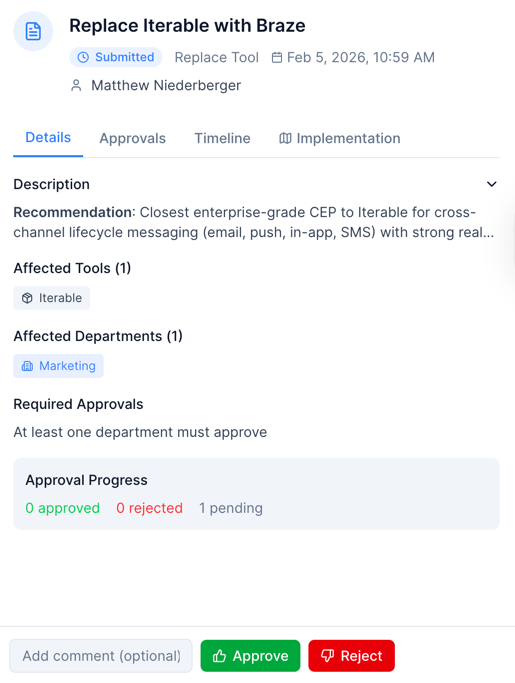
Within the Alternatives report, after comparing, you can now initiate a Request for Change. If you want to add, remove, replace, or change a tool's integration, this feature will help you manage the process.
Describe what you want done, add the type of change, and add the tool(s) from your martech stack, and Department leads are automatically notified. Yes, this feature needs a lot of refinement, but the foundation is in place, providing an auditable timeline, an approval/rejection process, and a feature to generate a roadmap for the change.
For me, the next steps will push towards integration with tools like JIRA to manage the process in your company's preferred project management tool, but be filled with contextual information from the Martech Stack Builder.
Don't guess it, visualize it. How to deal with consent and PII
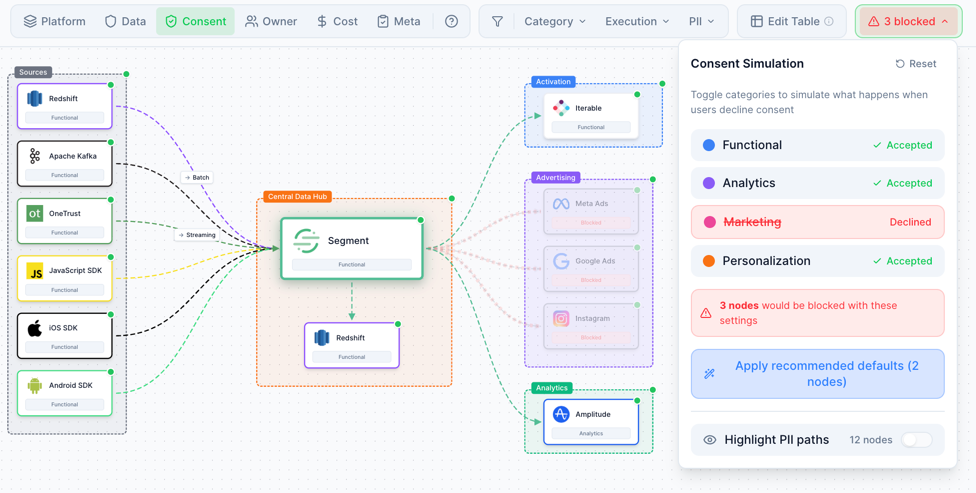
Previously I mentioned the Multi-Lens feature. This feature allows you to assign marketing technology specific values to tools in your stack. This will allow for something pretty cool, if I do say so myself. It allows you to visualize data flows, and consent flows in one.
Want to know where data will or will not flow if a user does not give consent for marketing? Visualize it. Samen with PII. With various option available for defining PII flows through your stack, clicking on Highlight PII paths allows you to visualize the flow of PII data. More work is needed here to visualize the different sorts of PII handling (hashing, rejecting, storing etc.) but the basics are in place.
Getting notified? Not a problem.
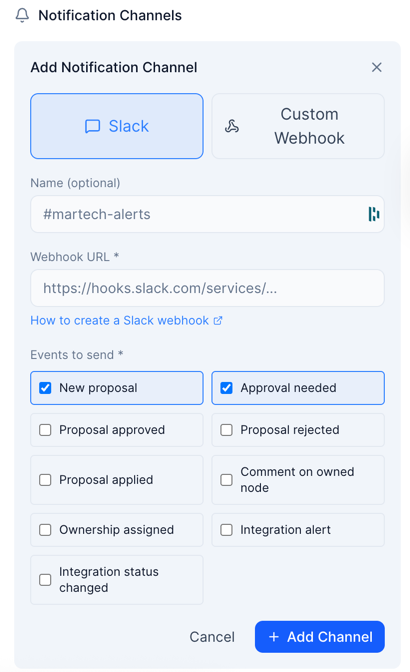
Last but not least, notifications. I have added two methods to get notified about a few changes to your Team's project. Now, you can push notifications using webhook or Slack. Simply input the endpoints needed, select the notifications you want your team to receive, and Bob's your uncle.
More options and improvements coming soon, here too.

Start building your Martech Stack designs today 👇🏻
Discussion