


I’ve lost count of the number of times I’ve tried to explain a CDP diagram that looked like someone spilled spaghetti on a slide. If you’ve ever been in a meeting where five people are discussing “real time” and each one means something completely different, you probably know the feeling.
So instead of drawing yet another arrow-filled diagram, I built something people can actually play with.
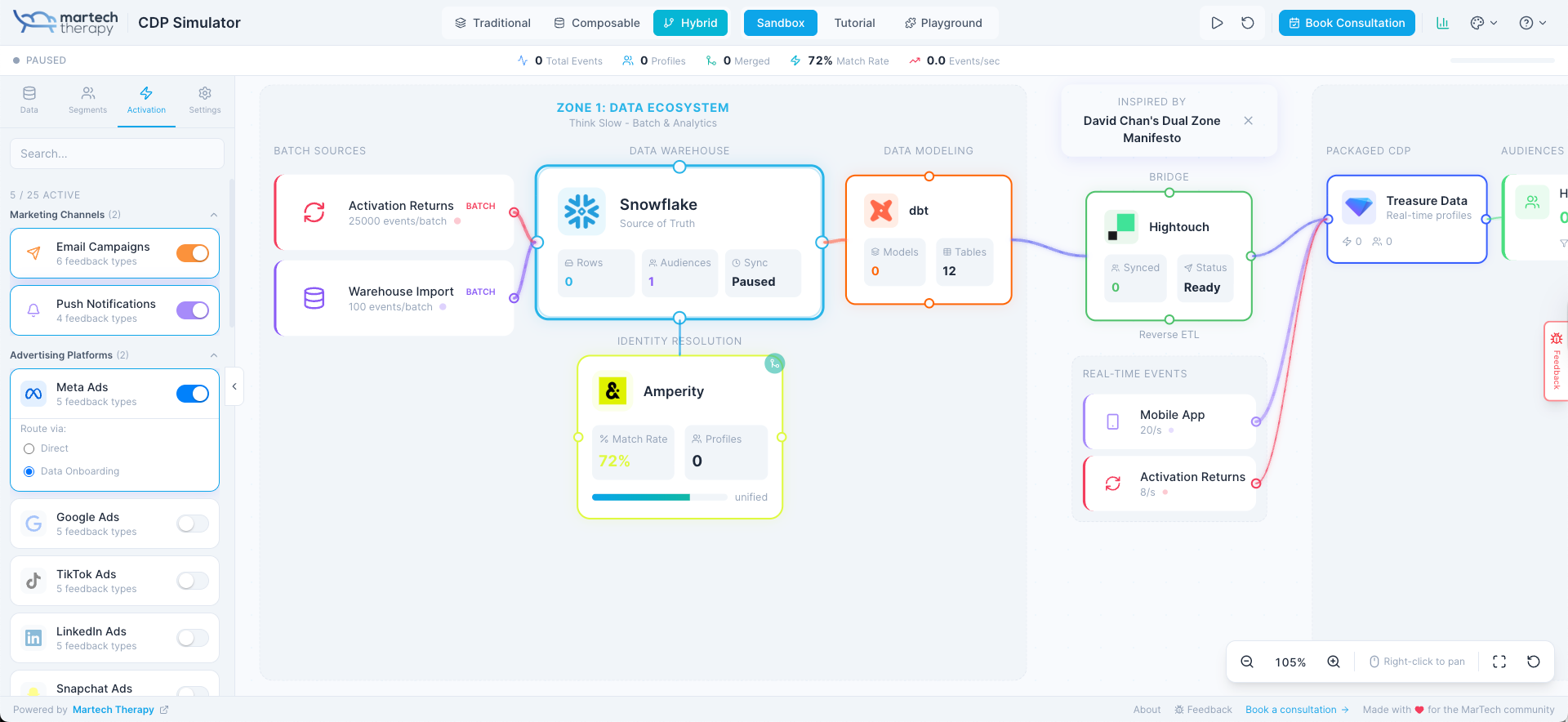
The CDP Simulator is now live. It’s free, and you can get started in about three seconds. No signup, no marketing pop-up asking for your email. Just a canvas that comes alive the moment you click a button.
I made it because we all deserve a better way to understand these systems than deciphering another vendor pitch.
Why I built this
The CDP market has reached a point where three people can use the word “CDP” and mean three completely different things. Traditional, composable, hybrid, dual zone, warehouse-native, packaged… it’s no wonder teams struggle to understand how the pieces fit together.
The issue isn’t that the concepts are impossible. It’s that everything is described in abstract language. You hear about Reverse ETL but never see it doing anything. You’re told a warehouse sits at the centre of a composable stack, but that doesn’t mean much until you see the data move.
People learn faster when they can experiment. That’s the whole idea behind the simulator.
 Matthew Niederberger
So what is the CDP Simulator
It’s a visual environment where you can toggle data sources, switch between architectures, build audiences, activate channels, and watch animated data flows travel across the screen. The simulator reacts instantly to whatever you do.

You pick the mode.
- Traditional CDP.
- Composable CDP.
- Hybrid CDP inspired by David Chan’s dual zone thinking.
The whole canvas shifts and the data behaves differently, which is exactly what you need if you’re trying to make sense of how these approaches differ in the real world.
Three modes that actually reflect how the market works
Traditional mode
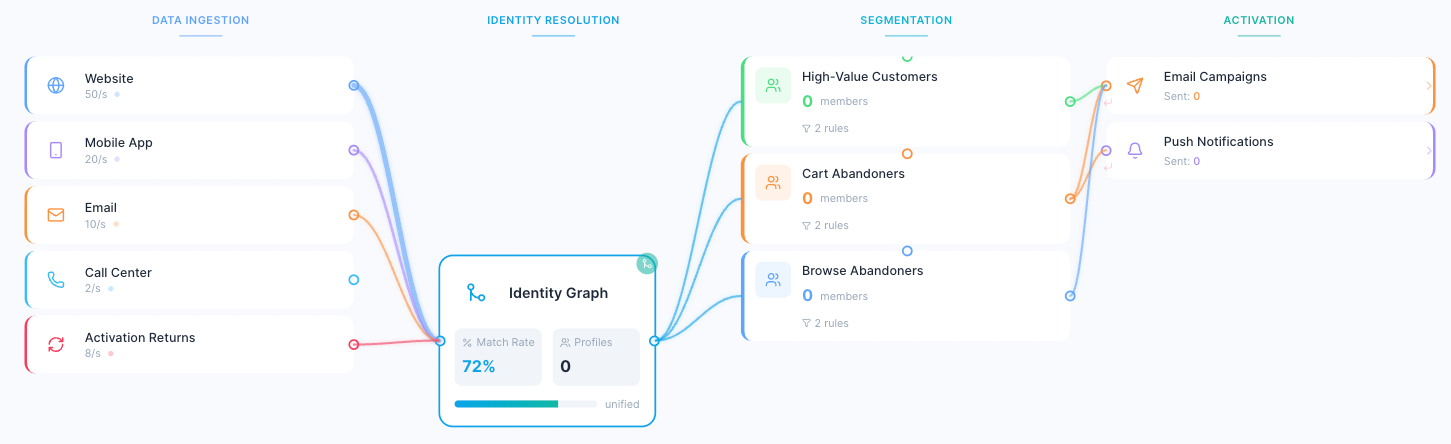
This is the classic CDP setup most people learned first. Data goes in, identity resolution happens, segments are created, and activation pushes out to various channels. Everything sits inside one platform. It’s tidy, linear, and a nice way to show how the first generation of CDPs were designed.
Composable mode
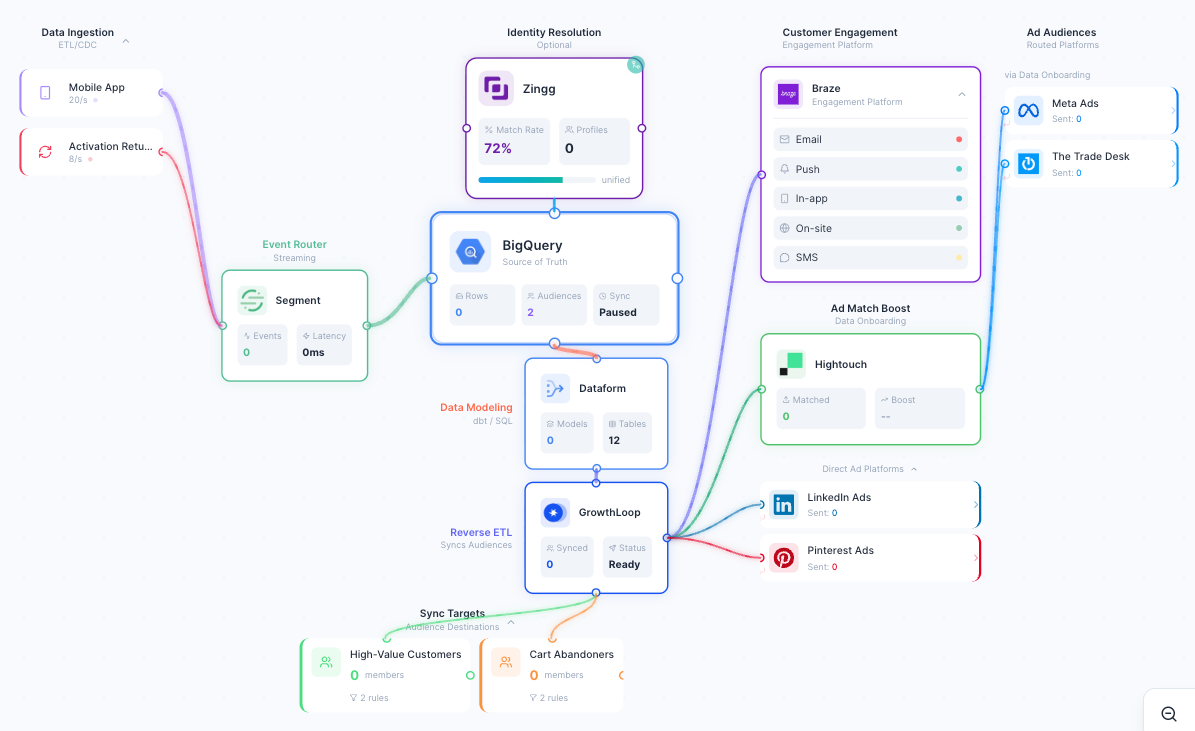
Here the warehouse becomes the centre of gravity. Flip between Snowflake and BigQuery to see how little friction that creates. Swap your Reverse ETL provider. Add identity resolution. Remove identity resolution. Test different event routers. The canvas updates instantly, and you start to feel the modularity that makes this approach appealing.
Hybrid mode
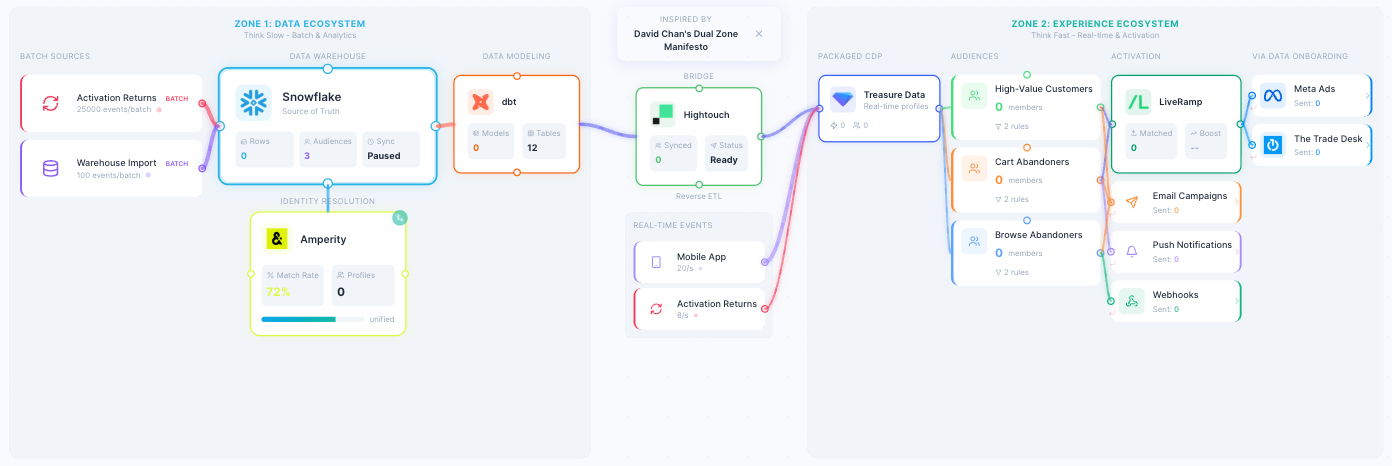
This one is close to what many enterprises are quietly running today. Zone 1 holds the heavy, slow-changing data work. Zone 2 is the fast decisioning environment where journeys, offers, and real-time experiences live. Reverse ETL is the bridge between them. Seeing the two zones side by side tends to spark the “ahhh, now I get why people combine these” reaction.
Watching data move makes everything clearer
One of my favourite parts is the particle system. Each data source has a colour and a rhythm. Website events fly across the screen. POS crawls at a human pace. Activation events return to enrich the profile.
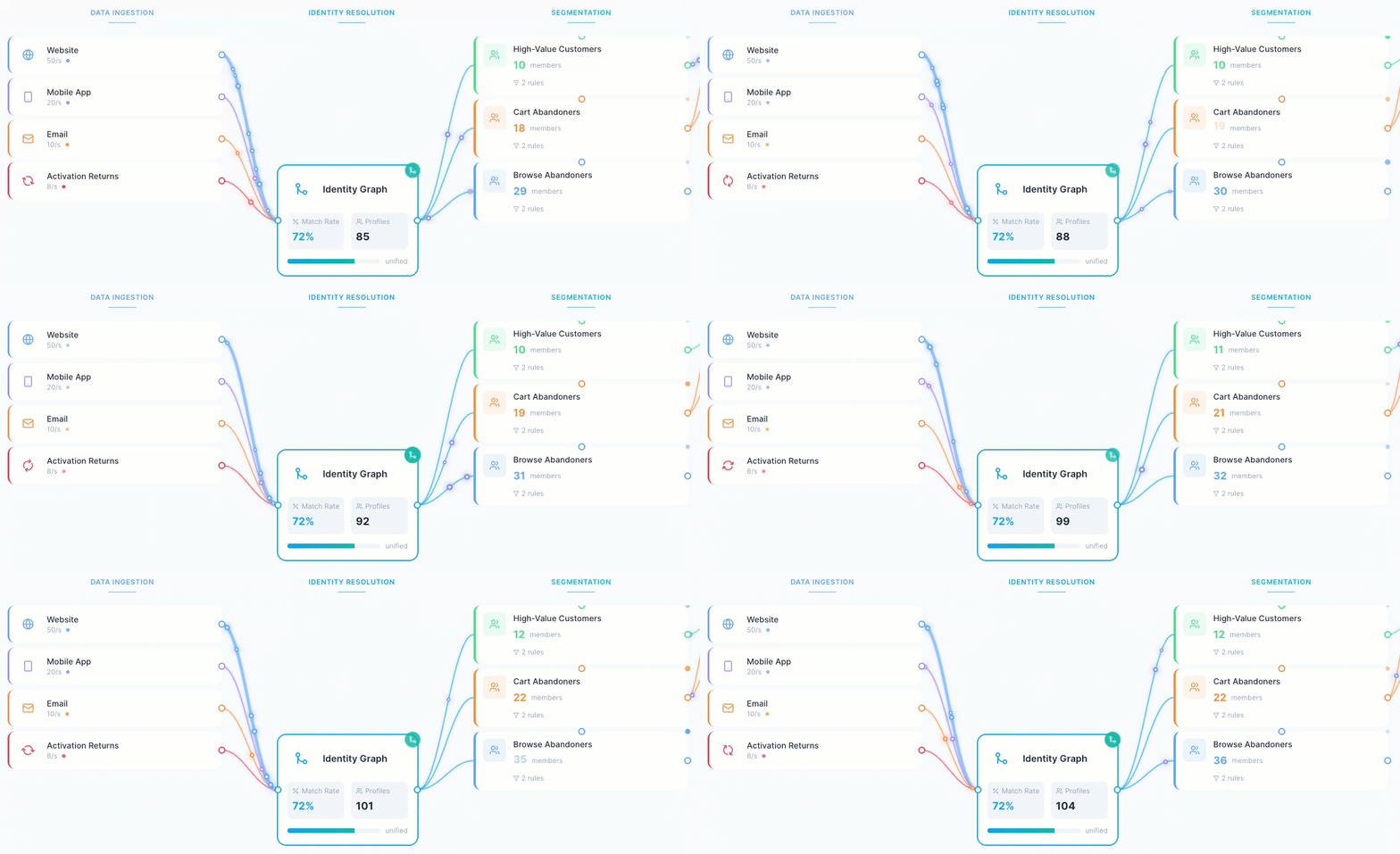
Toggle something off and the canvas calms down. Toggle something on and the system lights up.
It’s surprising how quickly people grasp batch versus streaming once they see it moving.
Segments and activation in motion
The simulator includes eight starter audience segments.
Enable Cart Abandoners or At-Risk Churners and you instantly see which activation channels respond. Channels light up when they receive a segment and stay quiet when nothing qualifies.
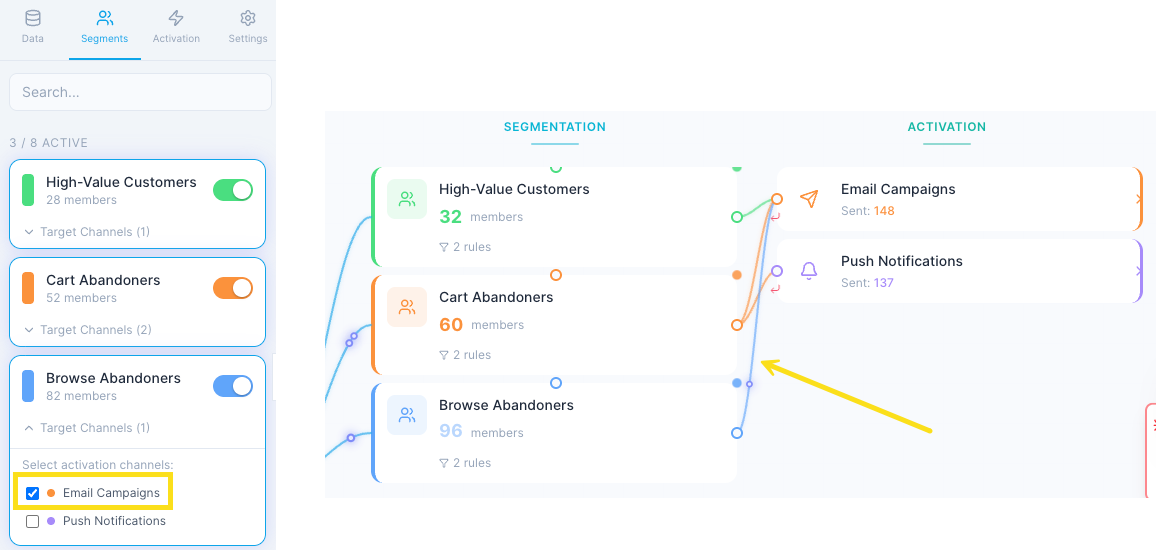
It’s effortless to understand because it’s all happening right there in front of you.
Learn as you go
There’s a guided tutorial baked in. It’s a short, friendly, thirteen-step walkthrough that teaches the fundamentals while you interact with the canvas. You can drag it around during exploration. It saves your progress so you can come back later.
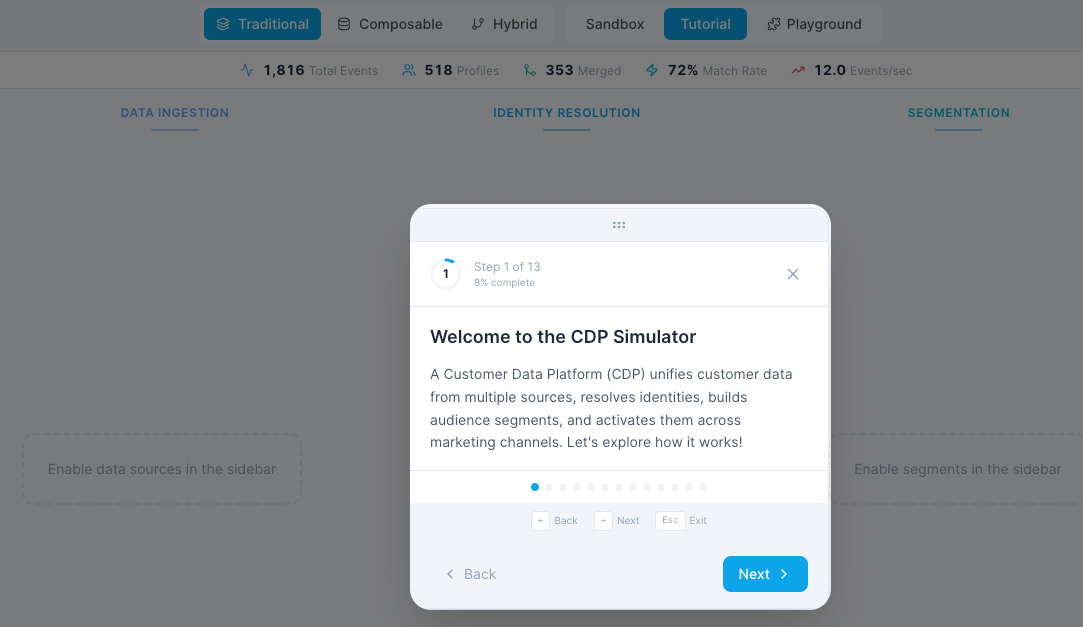
It’s the opposite of a lecture. More like someone tapping you on the shoulder and saying, “Look over here for a second, this part is important.”
Who this is for
- Anyone evaluating CDPs.
- People designing architectures.
- Teams trying to build shared understanding.
- Marketers who have been quietly wondering where their data actually goes.
If you’ve ever wished you could freeze a CDP diagram and ask it to explain itself, this is your moment.
What’s coming next
The current version already solves the core problem, but there’s a lot more planned. These are the features I’m working on now.
Playground mode
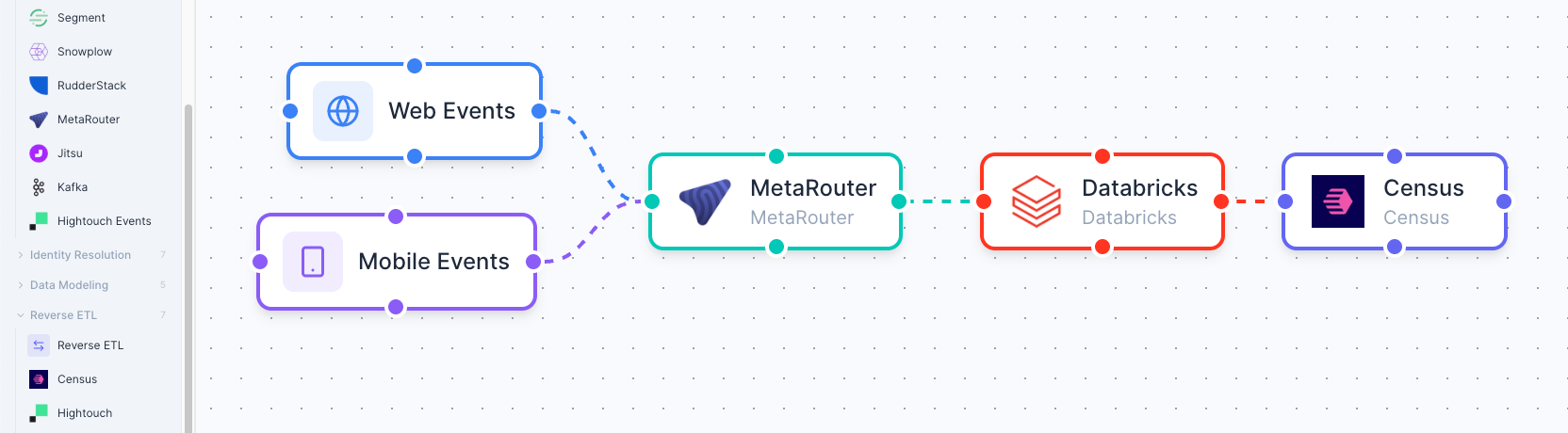
A completely flexible canvas where you can build your own CDP architecture. Drag components wherever you want them, draw connections between them, and design your dream stack or your nightmare legacy setup.
Architecture validation
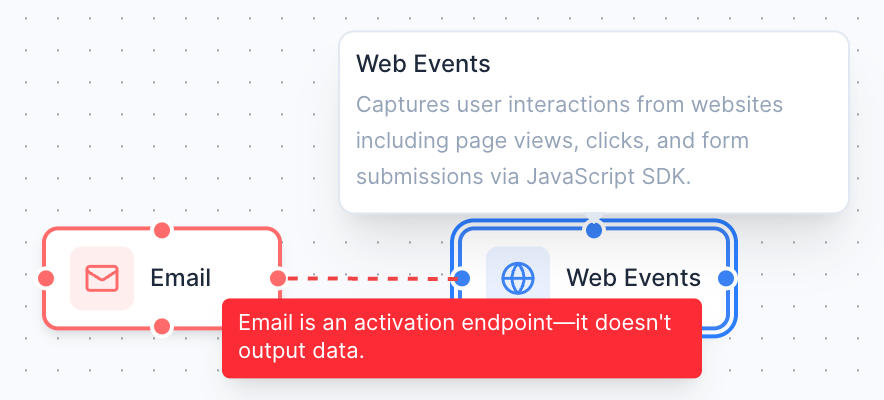
As you build, the simulator will flag broken logic or missing pieces. No identity layer. No data route to activation. Loops that will never resolve. It won’t scold you, just give a nudge to help you build something workable.
Export and share
Create a shareable link or export your design as an image or JSON file. Perfect for workshops, training sessions, stakeholder reviews, or the inevitable “Can you send me that diagram after the meeting” moment.
Vendor expansion
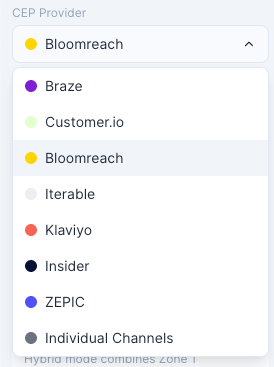
New tools appear every month, so I’ll keep adding vendors across categories. If your brand isn’t in the list and you want it included, just reach out. I’m not playing favourites.
This roadmap turns the simulator from an educational tool into a full CDP architecture studio.
A closing invitation
CDPs don’t have to feel mysterious. They don’t have to sit inside complex diagrams that only two people in the organisation fully understand. With the CDP Simulator, you can finally see these systems behave the way they’re described.
Try it. Break things. See what happens when you turn pieces off.
Use it to teach others or to make sense of your own stack.
The link is live. Have fun.
Discussion